 MeasureLab
Describe it, get a calculator
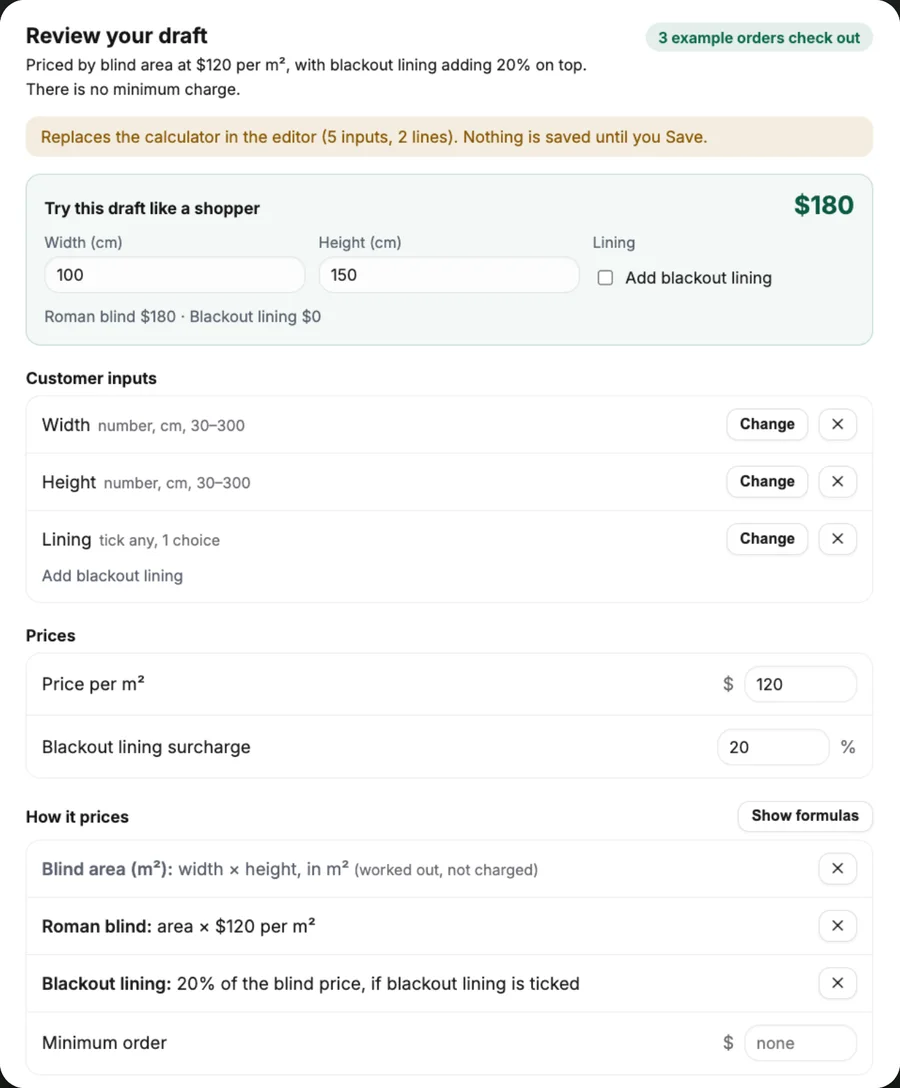
Write how your product is measured and priced. MeasureLab drafts the inputs, prices and example orders, and you try it like a shopper before you use it.
Price calculator for Shopify
Shoppers type their measurements and see the exact price, right on your product page. Every measurement goes onto the order, and the price is checked again at checkout.
Free to set up · 14-day free trial when you publish

How it works
No more “how much for 140 × 210?” emails, and no variant for every size. You set how a product is priced once; MeasureLab works out every size for every shopper.
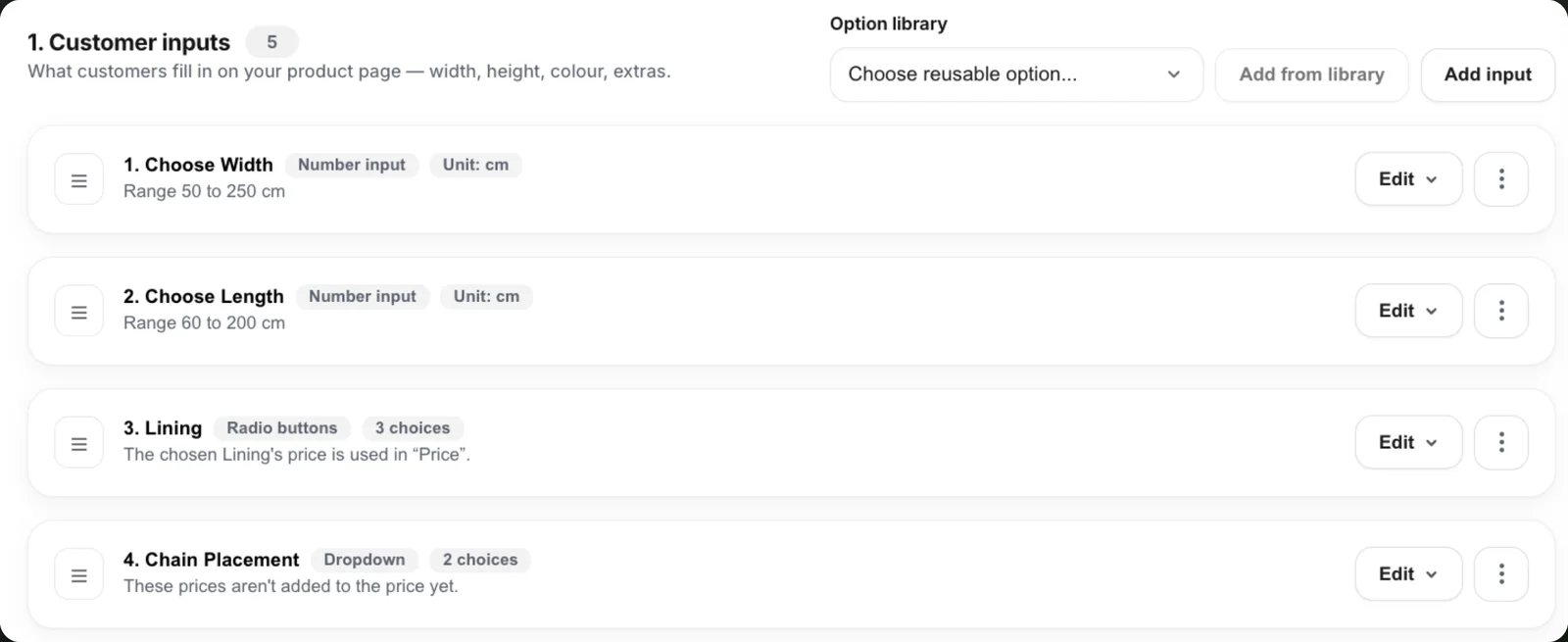
Start from one of 18 industry templates, or describe your product and let MeasureLab draft it. Add the measurements and choices, set how they're priced, and test every price before it goes live.
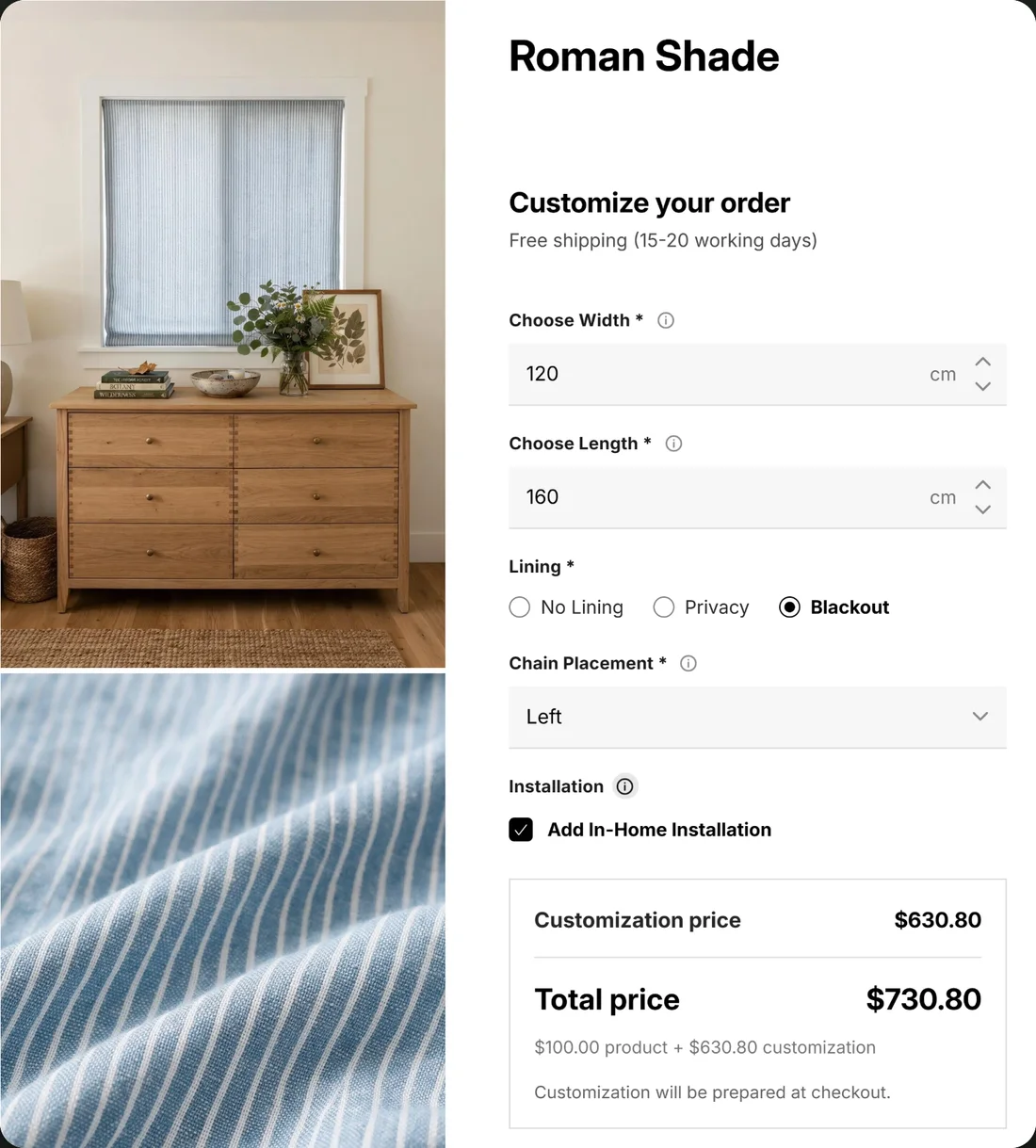
The calculator sits on your product page in your own theme. Shoppers type their size, pick their options and watch the price update, in their language and their currency.
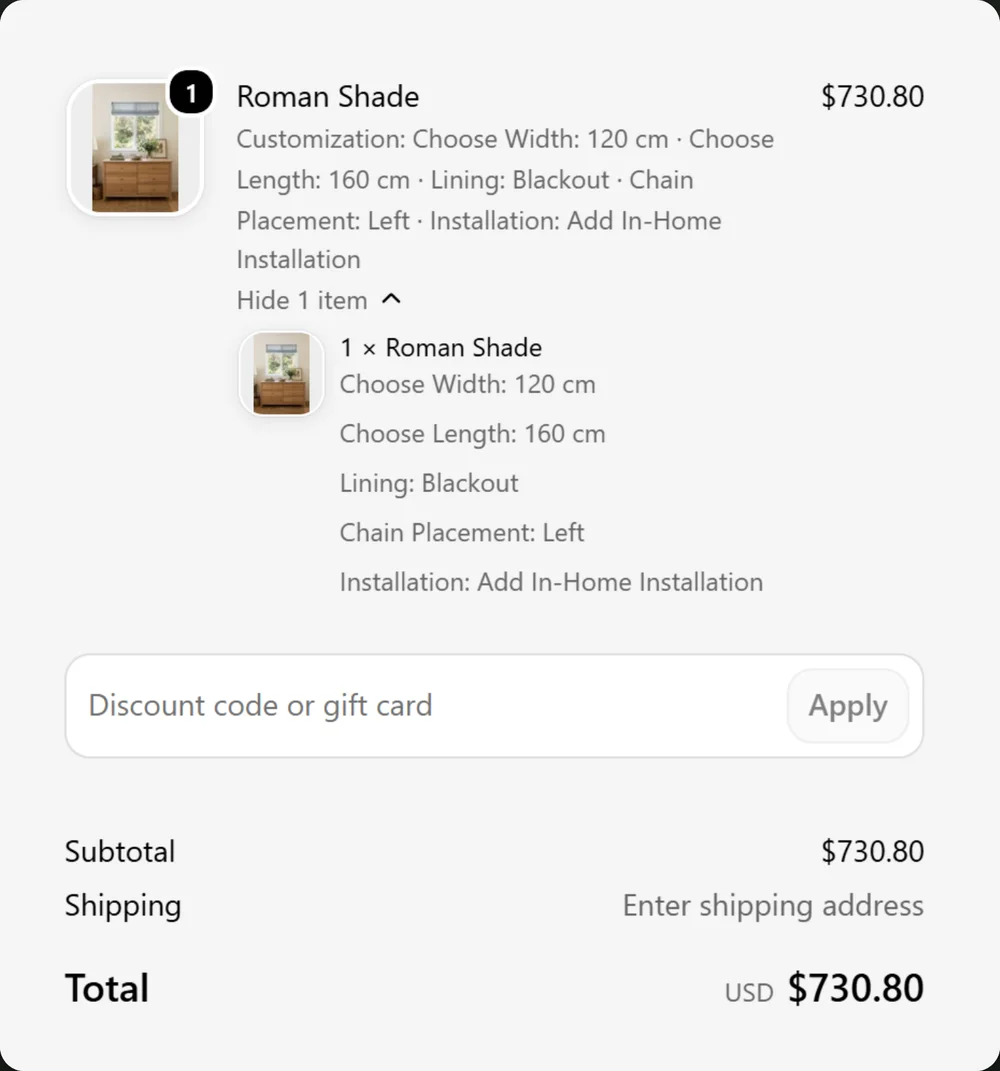
Every measurement and choice travels with the order through Shopify's own checkout, on one line, ready for your workshop. The price is worked out again at checkout, so an edited price never goes through.
Every way you price
Use your price list as it is. Combine methods, add extras, and keep small orders worth doing.
Per square metre or square foot, for blinds, glass, flooring, signs and prints.
Per metre or foot, with cut steps, for fabric, rope, trim and tube.
Type in the price grid your supplier gives you; sizes round up to the next band.
Lower prices as the size or quantity grows, band by band.
Rounding, minimums, perimeters, fullness: if you can write it down, it can price it.
Linings, finishes, motors and installation; setup fees, waste, minimum charges and rounding.
Features
Everything a made-to-measure product page needs, from the first measurement to the finished order.
Write how your product is measured and priced. MeasureLab drafts the inputs, prices and example orders, and you try it like a shopper before you use it.
A “How to measure” guide opens beside the size boxes, with steps and pictures, so customers measure right the first time.
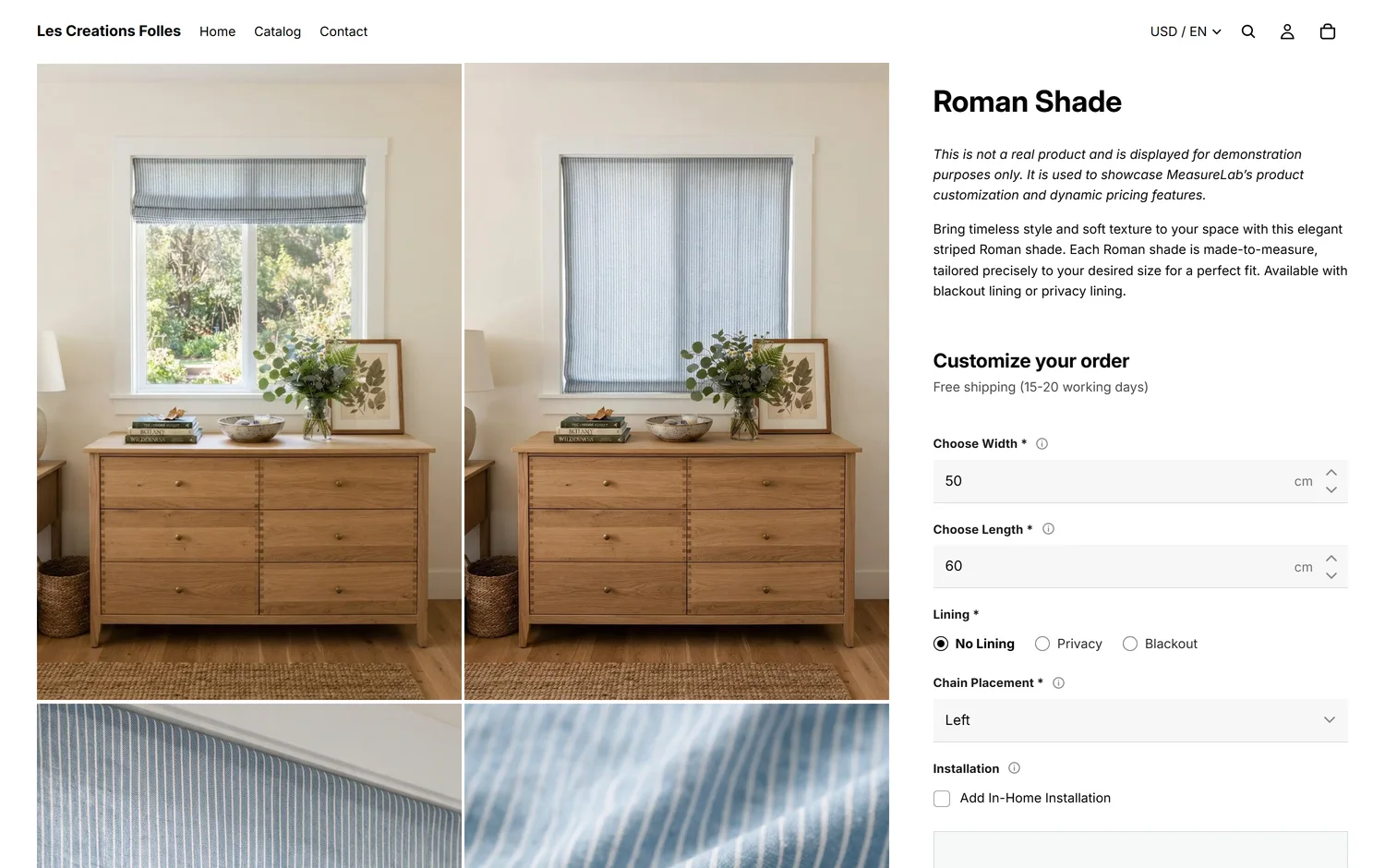
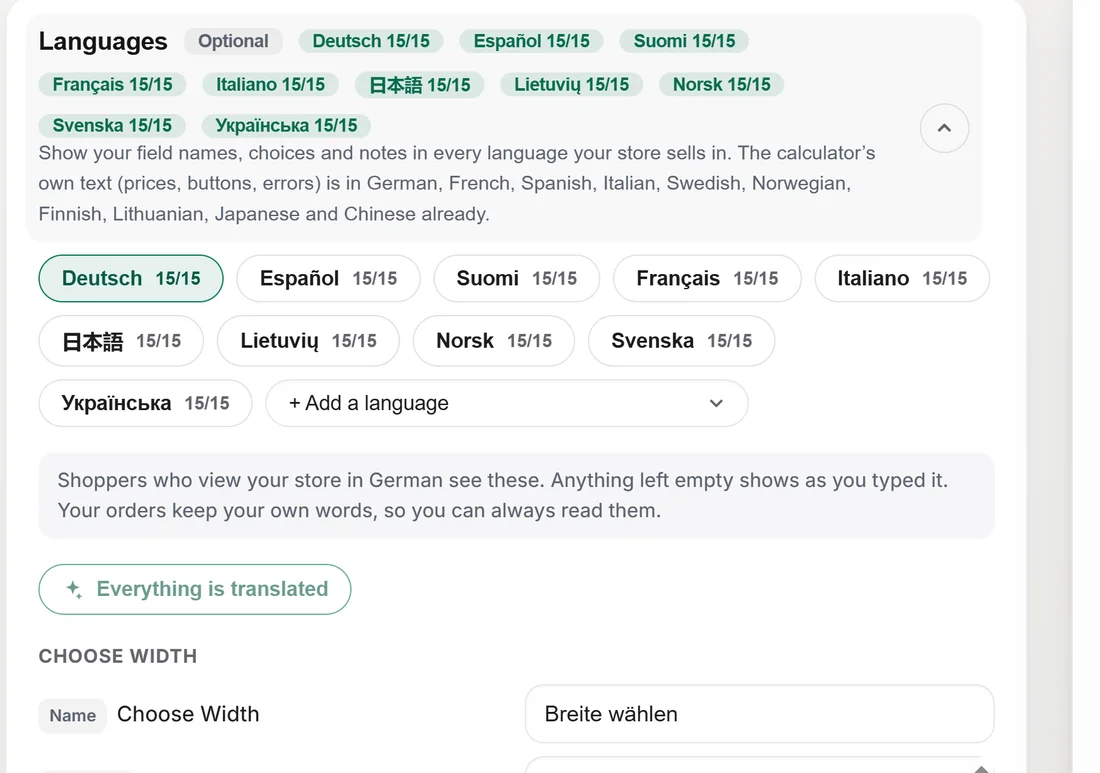
The calculator speaks English and 11 more languages, and shows prices in the shopper's currency. Translate your own field names and choices too.
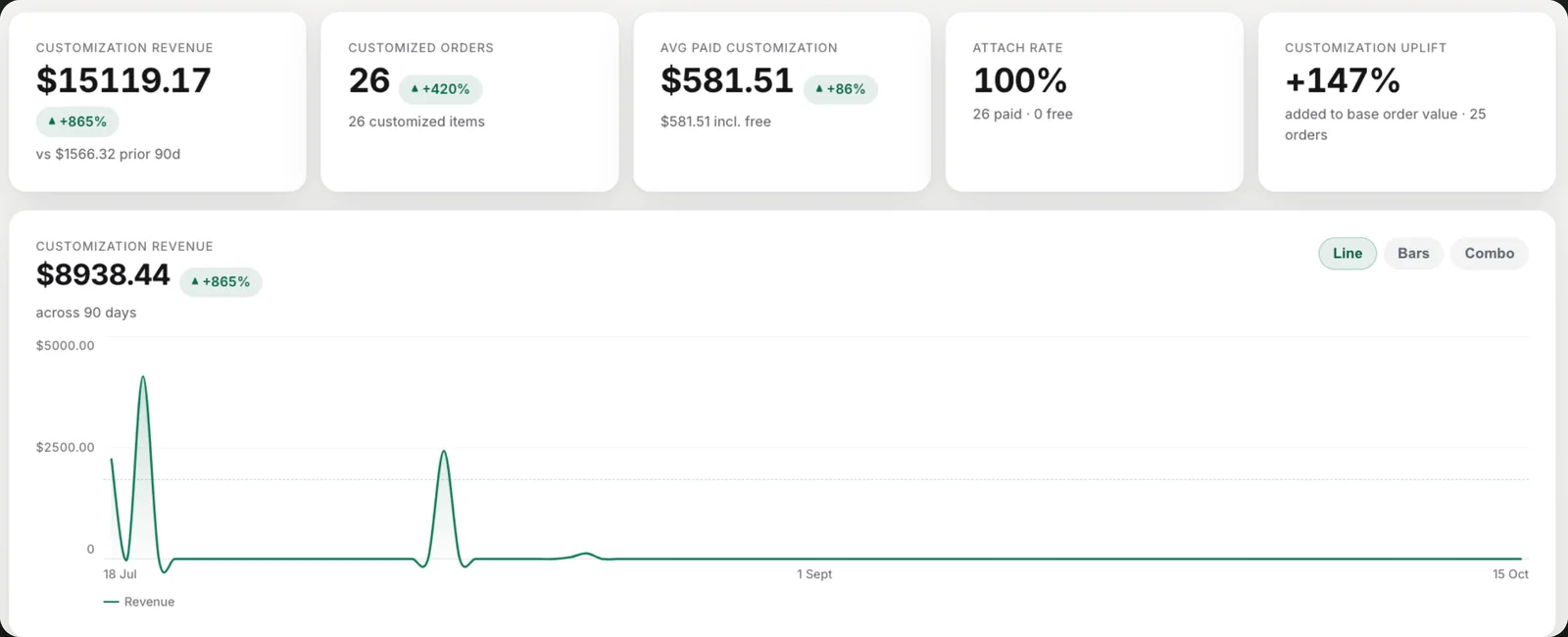
Revenue, orders and what each customization adds, tracked automatically, so you know which sizes and options sell.
The price is worked out again from the order itself, so it can't be edited on the way.
Count what runs out, a colour or a finish, and show it sold out at zero.
Use numbers kept on each product in Shopify, like a pattern repeat, in your formulas.
Added as a block in any Online Store 2.0 theme, and it takes on your theme's fonts and colours.
Who it's for
Pricing
Set up and test as much as you like for free. Publishing starts a 14-day free trial.
Prices in USD, billed through Shopify. See every plan on the Shopify App Store.
Guides
Practical guides for made-to-measure shops, with working examples, whether or not you use MeasureLab. All guides →
Questions
Yes, with any Online Store 2.0 theme. You add the calculator as a block on your product page in the theme editor, and it takes on your theme's fonts and colours.
Yes. Orders go through Shopify's own checkout as usual. The measurements and choices are listed on the order line, and the price is worked out again at checkout, so an edited price never goes through.
No. Start from a template, or describe your product and MeasureLab drafts the calculator for you to review. Formulas are there when you want them.
Yes. Turn on the unit switch and customers type in the unit they prefer; it's converted before the price is worked out.
Yes. With Concierge, you send the spreadsheet you price from, and we build the calculators and check them against your own sample quotes.
Write to us from the Help button inside the app, or email support@measure-lab.app.
Free to set up · 14-day free trial when you publish